标签 centos 下的文章

1、CentOS使用yum update更新时不升级内核

cp /etc/yum.conf    /etc/yum.conf.bak

2、修改yum的配置文件

vi /etc/yum.conf

在[main]的最后添加

exclude=kernel*  
exclude=centos-release*
说明:不要采用低版本中常用的如下方式:yum –exclude=kernel* update
这个命令在Fedora中基本可以用,但是对于 centos-release 的包无法处理。

下午安装 cockpit 时,使用 yum 工具的时候哦,出现如下信息:

This system is not registered with an entitlement server. You can use subscription-manager to register.

尽管不影响centos 的使用,安装软件也没有任何的影响。但是也是想知道其中的原因;下面是在国外论坛上对于centos 的讨论。

问题:

Installing Cockpit on CentOS7 adds the following nag/notice - seen every time you use yum update etc.:

"This system is not registered with Subscription Management. You can use subscription-manager to register"

Removing the cockpit-subscriptions - breaks the web interface fuctionality - You can log in but then you get an error page.

Does anyone have a fix for this?
Obviously, this is designed for RHEL but, seems the CentOS package shouldn't have this "Feature".

阅读全文


CentOS7 默认使用的是 firewall 作为防火墙

firewall 防火墙

1、查看 firewall 服务状态

systemctl status firewalld

964175-20170704104259159-913218775.png

2、查看 firewall 的状态

firewall-cmd --state

964175-20170704104425769-698844041.png

3、开启、重启、关闭、firewalld.service 服务

停止 firewall

systemctl stop firewalld.service

开启 firewall

systemctl start firewalld.service

禁止 firewall 开机启动

systemctl disable firewalld.service

4、开启、重启、关闭、firewalld.service 服务

开启 firewall

service firewalld start

阅读全文


原理

当版本库代码更新时,通过 git 的 webhook(git web 钩子)触发 push 事件。用户提交代码(git push)服务器的宝塔 webhook 插件拉取当前 git 最新代码(git pull)。

步骤

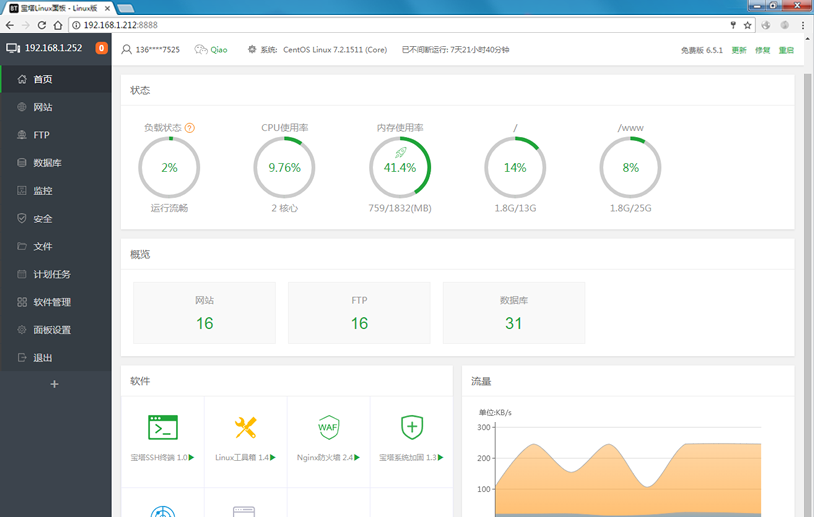
1、CentOS 服务器安装宝塔面板:宝塔面板
linux_pc_free.png

2、安装 git:

yum install git

Tips: Git 生成 SSH 公钥

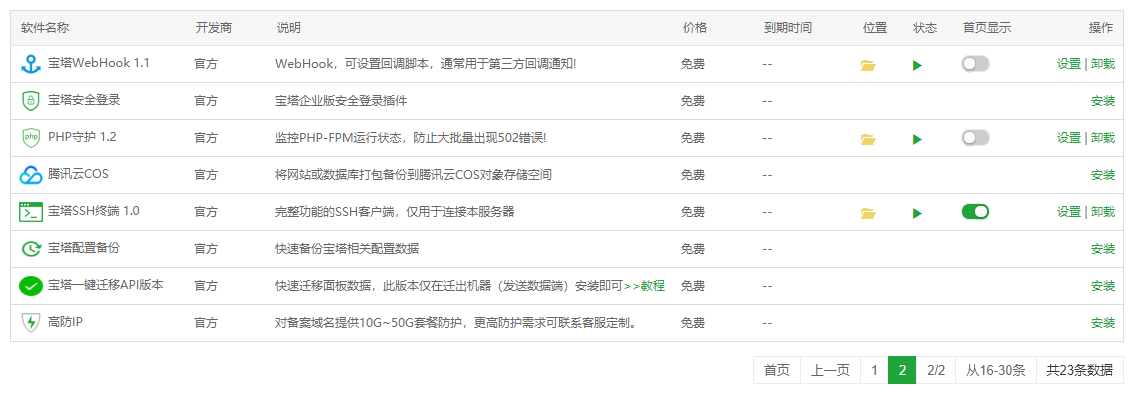
3、宝塔面板软件商店安装 宝塔WebHook;
20191110195119.png

4、添加 HOOK 命令:

#!/bin/bash
echo ""
#输出当前时间
date --date='0 days ago' "+%Y-%m-%d %H:%M:%S"
echo "Start"
#判断宝塔WebHook参数是否存在
if [ ! -n "$1" ];
then
          echo "param参数错误"
          echo "End"
          exit
fi
#git项目路径
gitPath="/www/wwwroot/web/$1"
#git 网址
gitHttp="http://git.xxxxx.com/web/$1.git"

echo "Web站点路径:$gitPath"

#判断项目路径是否存在
if [ -d "$gitPath" ]; then
        cd $gitPath
        #判断是否存在git目录
        if [ ! -d ".git" ]; then
                echo "在该目录下克隆 git"
                git clone $gitHttp gittemp
                mv gittemp/.git .
                rm -rf gittemp
        fi
        #拉取最新的项目文件
        git reset --hard origin/master
        git pull
        #设置目录权限
        chown -R www:www $gitPath
        echo "End"
        exit
else
        echo "该项目路径不存在"
        echo "End"
        exit
fi

阅读全文


磁盘挂载方法

查看已使用的磁盘情况:

df -HT

查看所有磁盘:

fdisk -l

查看指定磁盘的分区情况:

fdisk -l /dev/xvdb1

对磁盘进行分区:

fdisk /dev/xvdb1

查看刚刚分配的磁盘号:

fdisk -l

格式化磁盘:

mkfs -t ext4 /dev/xvdb1

-t 表示指定格式化磁盘的文件系统类型为ext4,默认不指定为ext2(比较老的linux文件系统类型)centos7默认系统格式是xfs格式,格式化磁盘的时候也可以指定类型为xfs格式;

阅读全文